Claude Code skills
Claude Code Skills for AI Video
Video models read your prompt literally. “No zoom” can produce a zoom, and a quoted word in a delivery note gets spoken. Seven skills teach Claude the rules that stop that, so it writes, reviews and fixes LTX-2.5 and MiniMax H3 prompts with you.
Coming soon. The skills pack is finished and will be listed on Gumroad shortly, so there is no buy link yet. The Low-VRAM AI Video Pack ($19) is available now.
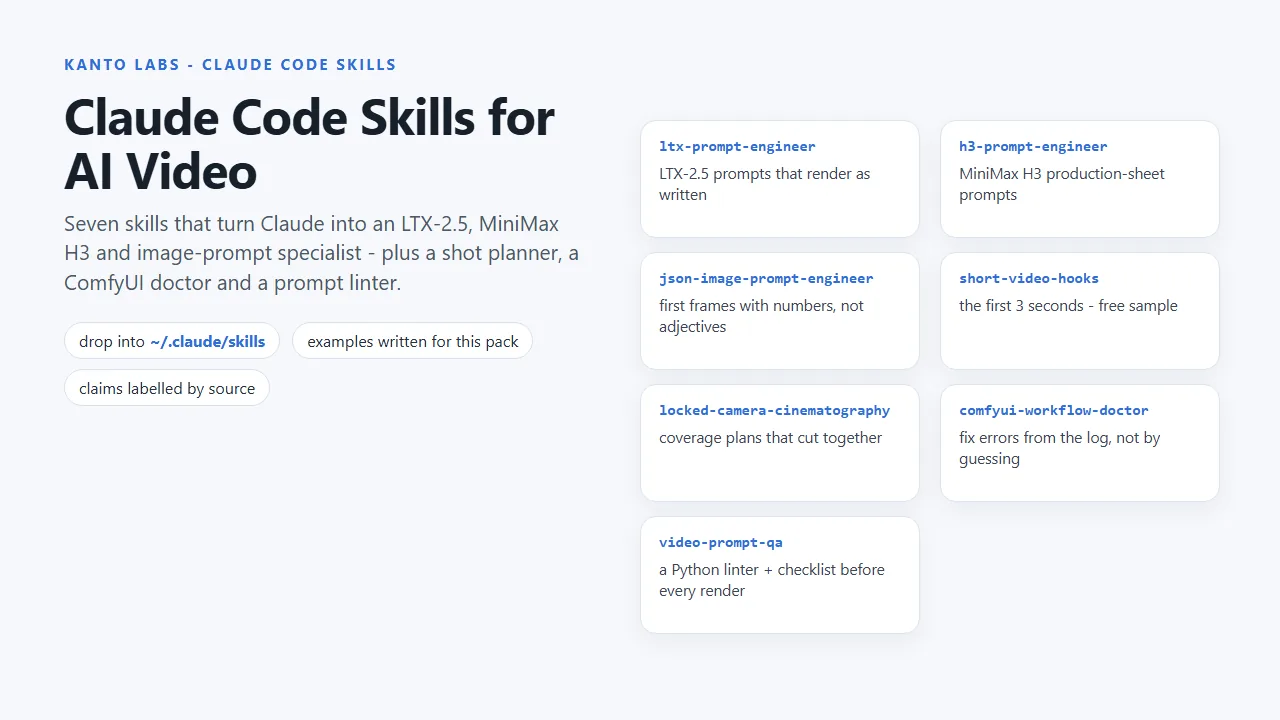
The seven skills
What Claude learns
ltx-prompt-engineer
LTX-2.5 shot briefs: positive camera and stillness wording, soundtrack claims, delivery directions that stay out of the dialogue, and a failure table that maps each symptom to the word that caused it.
h3-prompt-engineer
MiniMax H3 production-sheet prompts: a role for every reference image, time-coded beats, one speaker per shot, soundscape and music fields.
json-image-prompt-engineer
Structured image prompts and first frames for image-to-video: numbers instead of adjectives, boolean constraints instead of negative prose.
short-video-hooks
The first 3 seconds: hook archetypes, three delivery channels and four tests to run before rendering.
locked-camera-cinematography
Coverage plans as a numbers table (lens, height, distance, frame position, gaze) with the 180- and 30-degree rules as prompt fields.
comfyui-workflow-doctor
Diagnoses ComfyUI failures from the log and the workflow JSON: GPU vs system-RAM out-of-memory, dead linked widgets, wrong GPU, shape mismatches.
video-prompt-qa
Runs the included lint_prompt.py (standard-library Python) and a manual checklist, then reports every problem with a positive rewrite.
Prompt linter
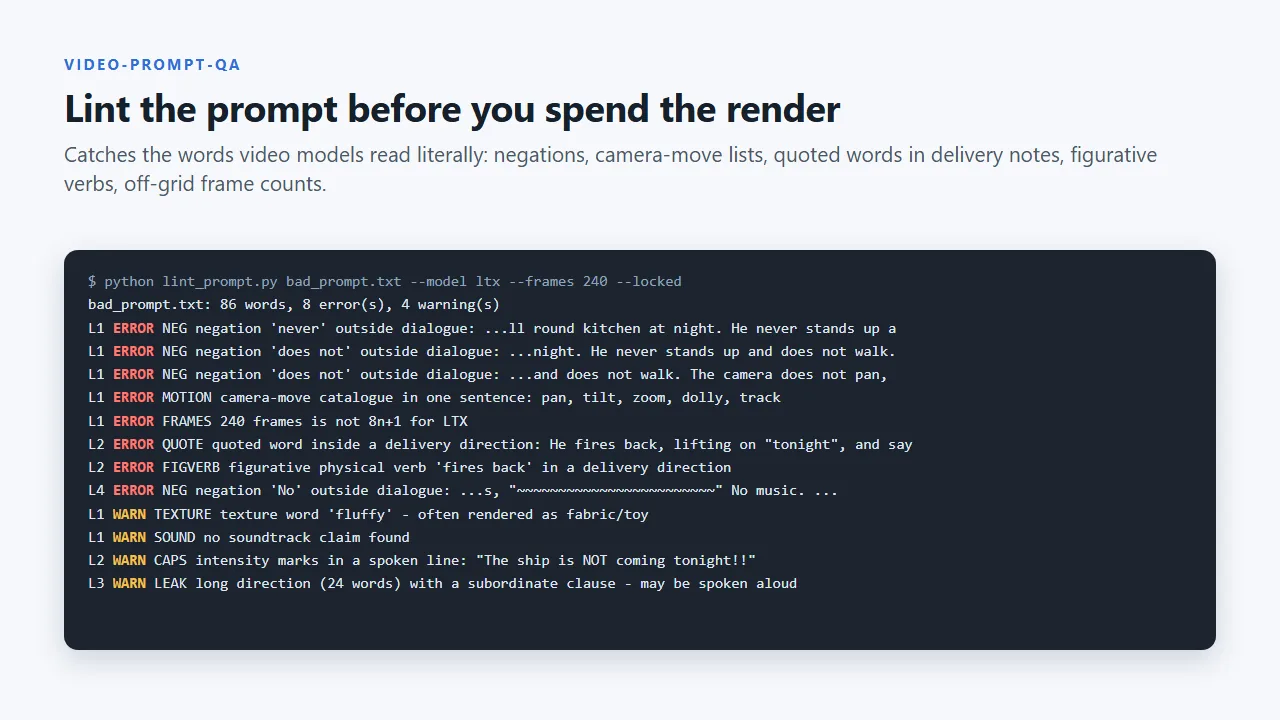
Lint the prompt before you spend the render
lint_prompt.py catches the words video models read literally: negations, camera-move lists, quoted words inside delivery directions, figurative verbs and frame counts that are off the 8n+1 grid.
- Every example scene was written for this pack
- Claims are labelled by source: vendor documentation, community reports or our own renders, and our numbers name the GPU they were measured on
- Requires Claude Code with skills support; Python 3.8+ for the linter
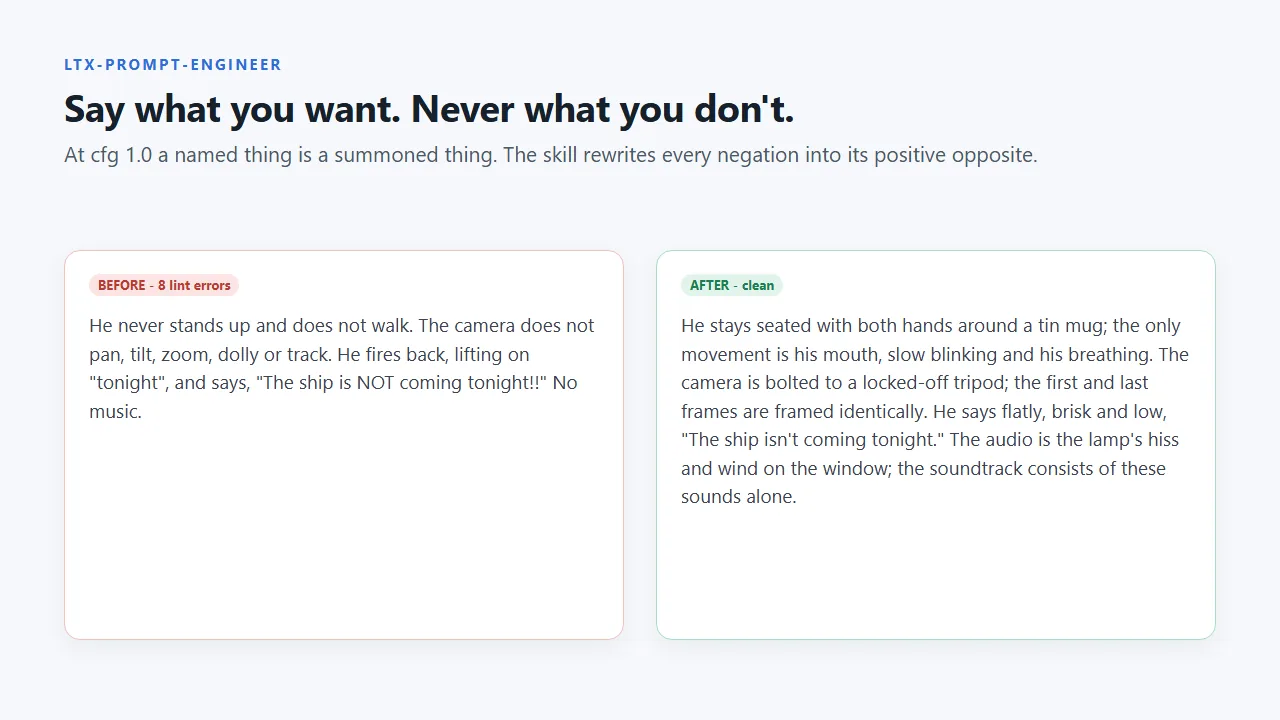
Before and after
Say what you want, not what you don't
The ltx-prompt-engineer skill rewrites every negation into its positive opposite, keeps delivery notes out of the spoken line, and states the soundtrack outright so the model does not invent music.
Licence: personal and commercial use, one person per licence, no redistribution. Not affiliated with Anthropic, Lightricks, MiniMax or Comfy-Org.
FAQ
Questions
What is a Claude Code skill?
A folder with a SKILL.md file of instructions that Claude Code loads when a task needs it. These are plain Markdown files, so you can read and edit every rule.
How do I install them?
Copy the skill folders into ~/.claude/skills/ (on Windows %USERPROFILE%\.claude\skills\) and start a new Claude Code session. A step-by-step README is included.
When will it be available?
Soon. The pack is finished and will be listed on the Kanto Labs Gumroad page shortly. The workflows it is designed around, the Low-VRAM AI Video Pack, are available now.
Do I need ComfyUI?
No. The skills help with prompts for any video front end. The ComfyUI troubleshooting notes assume ComfyUI 0.37.0 or newer, and the linter needs Python 3.8 or newer.
Can I use MiniMax H3 output anywhere?
Check the model's own licence first: MiniMax H3's licence excludes the USA, EU, UK and South Korea. The H3 skill tells Claude to raise this with you.