Browser extension
Keylamp: highlight multiple words at once
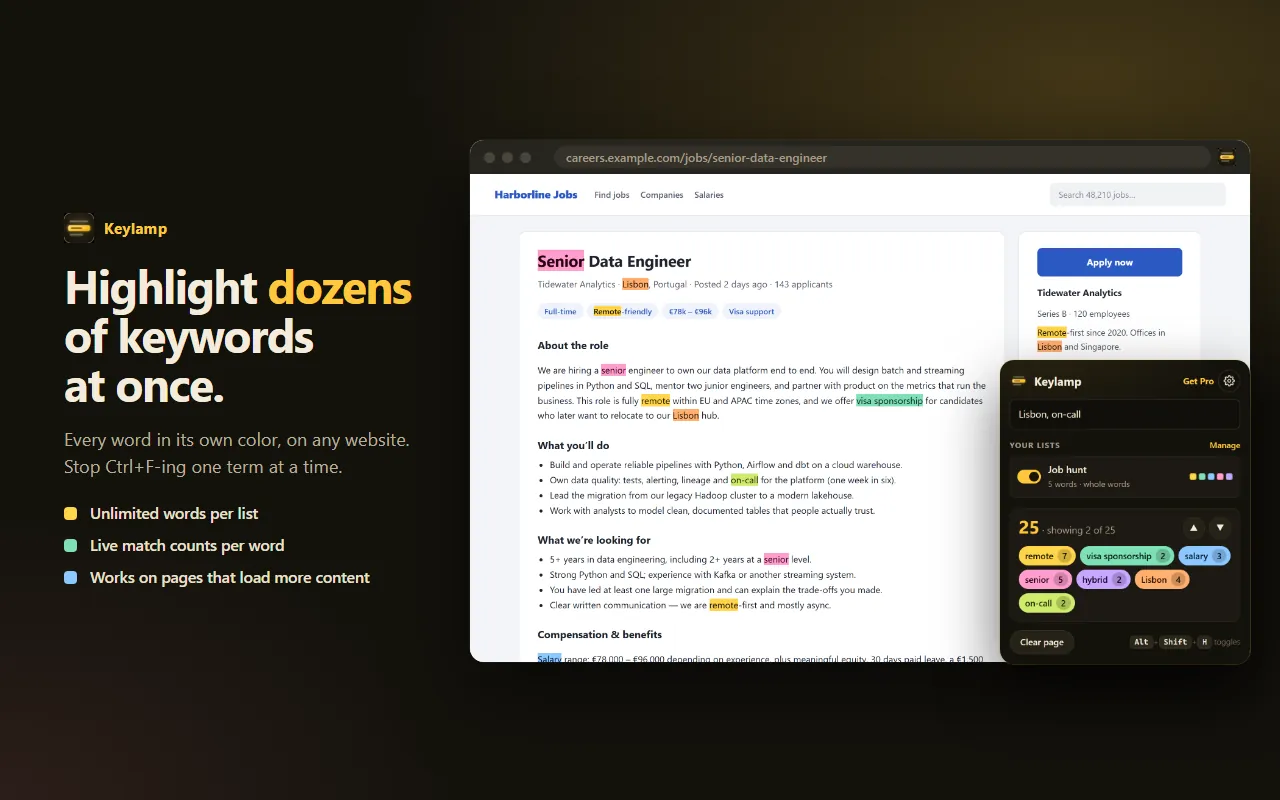
Stop pressing Ctrl+F one word at a time. Keylamp highlights every keyword you care about on any website, each in its own color, with a live count for each one.
Who it's for
Built for people who scan a lot of text
Why it's different
The page is never modified
Many multi-highlight tools rewrite the page's HTML to paint colors, which can break layouts, interfere with forms and change what you copy. Keylamp uses the browser's built-in CSS Custom Highlight API instead.
Private by design
- Runs only when you click it, use a shortcut, or on sites you explicitly allow
- Your lists are stored only in your browser
- No analytics, no ads, no tracking
Pricing
Free, or Pro for one payment
Free
- Up to 3 saved keyword lists, unlimited words in each
- Quick words: type a few words in the popup and see them highlighted instantly
- 8 automatic colors and a live match count for every word
- Jump to the next / previous match, or click a word to jump to it
- Whole-word and match-case options, multi-word phrases
- Right-click selected text → “Highlight this everywhere on this page”
- Keeps up with pages that load more content as you scroll
- Shortcuts: Alt+Shift+H highlight / clear, Alt+Shift+. and Alt+Shift+, next / previous
Keylamp Pro
- Everything in Free
- Unlimited keyword lists
- Auto-highlight: pick the sites where your lists light up automatically
- Regular-expression patterns (prices, dates, ticket numbers)
- Import and export lists (JSON / CSV)
- Custom list colors
Unlocked with a license key. The key is verified with the seller's license API; nothing else leaves your browser.
FAQ
Questions
Which browsers does Keylamp support?
Chrome, Microsoft Edge and Firefox (desktop). Store listings are coming soon.
Does it change the web page?
No. Keylamp uses the browser's built-in CSS Custom Highlight API instead of rewriting the page's HTML, so text stays selectable, forms stay editable and sites keep working.
What does Pro cost?
$12, one payment, no subscription. It is sold through Gumroad and unlocked with a license key.
Does Keylamp collect any data?
No. Your lists are stored only in your browser. No analytics, no ads, no tracking. The only network request is verifying a Pro license key, if you buy one.